Totals you can trust
Amounts are calculated in exact decimals, not floating point, so 0.1 + 0.2 is 0.30. Tax is rounded once per rate or on each line, your choice, and an overall discount is spread over the items to the cent.
填写您的企业、客户和项目:总额、税款和应付余额会在您输入时精确计算,并显示在页面的实时预览旁边。
选择一个模板和打印语言,下载 PDF,或下载 EN 16931 电子发票(Factur-X / ZUGFeRD PDF、XRechnung 或 UBL XML)。文档和客户端会保存在您的浏览器中。
发票生成器帮你快速做出规范文档:选模板、填内容,直接导出可打印的文件。 免费制作专业发票、报价单、收据和信用单。
从模板列表挑选合适的样式,界面会立即套用。
逐项填写名称、日期、金额、明细等字段,可随时修改。
预览区会同步更新,检查排版、合计与数据是否正确。
确认后下载 PDF 或图片,也可以直接打印。
Amounts are calculated in exact decimals, not floating point, so 0.1 + 0.2 is 0.30. Tax is rounded once per rate or on each line, your choice, and an overall discount is spread over the items to the cent.
VAT, GST or sales tax, several rates on one document, two taxes on one line (such as GST and PST), prices before or including tax, and categories for exempt, zero-rated and reverse-charge sales.
Six document types with their own numbering. Turn an accepted quote into an invoice and an invoice into a credit note in one click.
Labels, dates and numbers on the document can be English, German, French, Spanish, Italian, Portuguese, Dutch, Polish, Japanese, Chinese or Korean, whatever language this page is in.
The PDF has selectable, searchable text with embedded fonts. For clients and authorities that need e-invoices, export Factur-X / ZUGFeRD (PDF/A-3 with the XML inside), XRechnung or UBL XML.
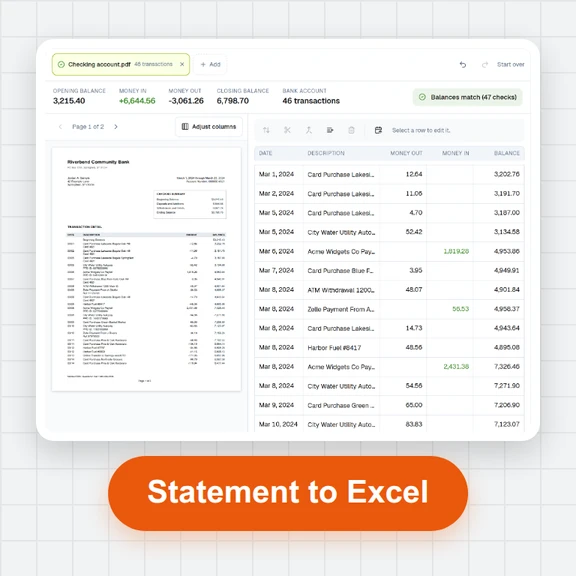
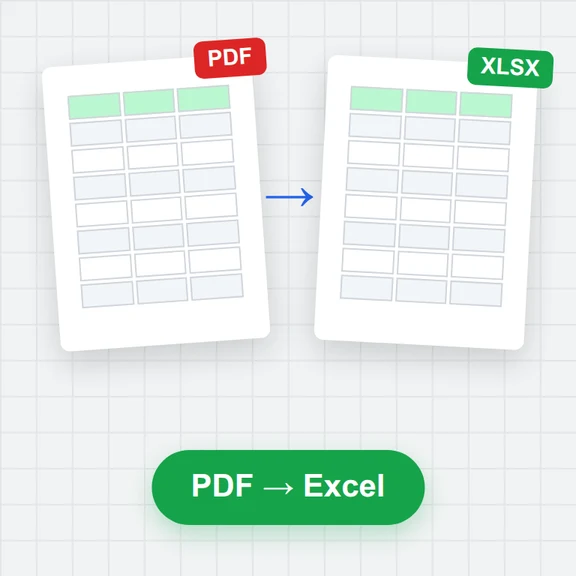
Documents save as you type. Filter by status, see what's overdue, export a register for your accountant as CSV or Excel, and back everything up to a file.
A clear due date and payment terms get money in faster than "due on receipt" with nothing else. Add your bank details so the client can pay straight away.
Most tax authorities expect unique, sequential invoice numbers. Use a pattern with the year, like INV-{YYYY}-{####}, and let the generator count.
Documents live in this browser. Download a backup from Documents now and then, and keep the PDFs you send, as tax records often have to be kept for years.
无需注册即可试用,游客每日 3 次免费。所有处理都在你的设备上完成,文件不会被上传。
所有工具每天都有免费额度。 游客每日 3 次免费,注册再送 20 积分。文件不上传,处理全在你的设备上完成。
Yes. Every document type, template, export and e-invoice format is free, with no account, no watermark and no limit on the number of documents.
In this browser's storage on your device. Nothing you type is sent to a server; the page only downloads fonts. Use Back up all in Documents to keep a copy or move to another computer, and Restore backup to bring it back.
Each line is quantity × unit price, rounded to the currency's decimals, minus its discount. Tax is then charged once per rate on the total of its lines (what EN 16931 e-invoices use) or on each line and added up. With prices including tax, the tax is taken out of the gross amounts. An overall discount is shared over the lines in proportion before tax.
Yes, for invoices and credit notes. Factur-X / ZUGFeRD PDFs use the EN 16931 profile as PDF/A-3 with the XML embedded, and XRechnung, UBL and CII files are EN 16931 XML. Our test files pass the official schemas and EN 16931 rules. Public-sector XRechnung also needs your buyer's reference (Leitweg-ID) in the PO / reference field and your contact details. Submitting e-invoices to a portal or network is up to you.
Documents print in English, German, French, Spanish, Italian, Portuguese, Dutch, Polish, Japanese, Chinese (simplified and traditional) and Korean, with local date and number formats. Every current ISO 4217 currency is available, with its own number of decimals (for example 0 for JPY, 3 for KWD).
Yes. In Documents, choose Make invoice on a quote, estimate or proforma invoice: the invoice gets the next invoice number, today's date and the same client and items, and the quote is marked accepted. Invoices can be turned into credit notes the same way.
It doesn't send emails, take card payments, sync between devices or file tax returns, and it doesn't know your local tax rules: check rates and wording with your accountant. Right-to-left languages aren't supported on printed documents yet.
Yes. Switch between Edit and Preview at the top of the editor; the PDF is the same as on a computer.
Free, private and exact to the cent.