Prepare input in advance
Put answers for input() in the Input tab, one per line, to run the same program again without typing.
输入 Python,按运行并查看输出,带有真实的 input() 提示和清晰的错误信息。
numpy、pandas 和 matplotlib 图表也可以使用,而且不需要安装任何东西。
在线 Python 编译器是一个在线编程环境:写代码、运行、看输出,不需要配置本地环境。 免费的在线 Python 编译器:在浏览器中编写并运行 Python 3 代码,支持 input()、numpy、pandas 和 matplotlib 图表、文件以及共享链接。
在编辑器中输入或粘贴代码,支持语法高亮与自动缩进。
选择语言版本、命令行参数或输入数据,按需调整。
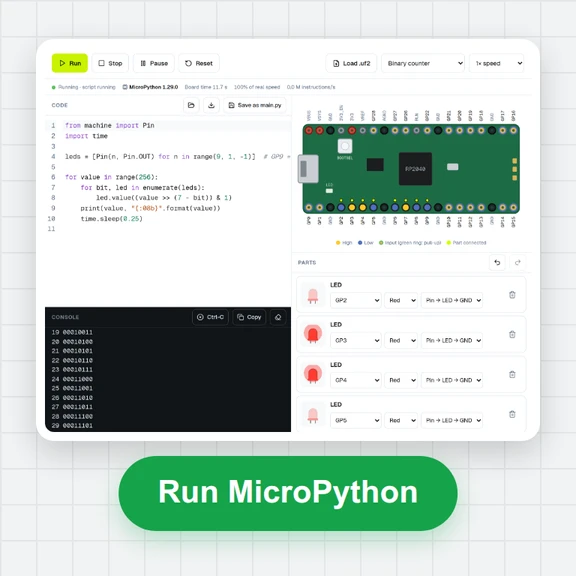
点击运行按钮,控制台会显示输出结果与错误信息。
确认结果后复制代码,或分享链接把示例发给别人。
让在浏览器中运行 Python 更顺畅的小习惯。
Put answers for input() in the Input tab, one per line, to run the same program again without typing.
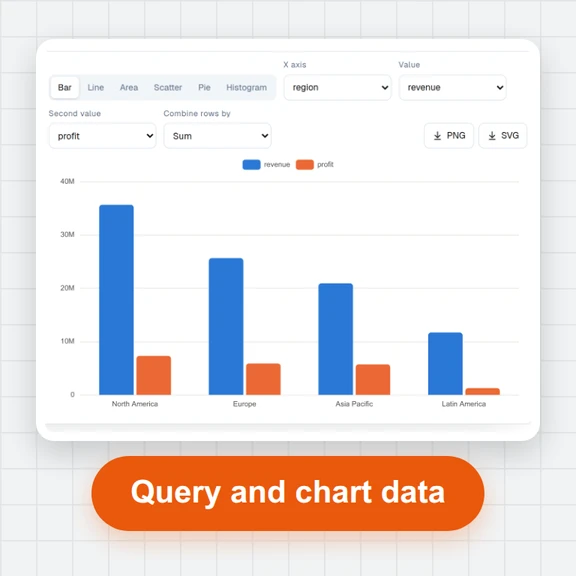
Call plt.show() to put a matplotlib chart in the output. Every chart can be saved as a PNG.
Add a CSV or text file in the Files tab and open it by name in your code. Files you write can be downloaded.
The first import of a large package such as pandas downloads it once; the next runs are quick.
Press Stop or Esc to end a long loop. Python starts again with a clean slate on the next run.
Variables don't carry over between runs, just like running a script from the command line.
无需注册即可试用,游客每日 3 次免费。所有处理都在你的设备上完成,文件不会被上传。
所有工具每天都有免费额度。 游客每日 3 次免费,注册再送 20 积分。文件不上传,处理全在你的设备上完成。
是的。它是免费的,游客每日 3 次,没有使用限制,保存的任何内容都没有水印。
Python 3.14 带标准库,可以直接在你的浏览器中运行。
是的。在输入(Input)标签中填写答案,每个 input() 调用一行,或者在程序要求时在输出(Output)标签中输入它们。
是的。只需导入它们:numpy、pandas、matplotlib、scipy、scikit-learn、sympy 和许多其他包会自动加载。图表会出现在输出中。
可以在“Packages”标签中安装来自 PyPI 的纯 Python 包,然后在代码中导入它们。
在你的浏览器中,在一个沙箱环境里,无法访问该网站的 Cookie 或存储。你的代码不会被发送到服务器运行。
是的。在“文件”标签中添加数据文件,并按名称打开它们。您程序创建的文件也会列在那里供下载。
按下“分享”以复制链接。代码储存在链接中,因此任何打开它的人都会看到相同的程序。
Write a few lines, press Run and see the result.