One sequence for the whole set
Numbering continues from file to file in the order you set, starting from any number, so a production can pick up where the last one ended.
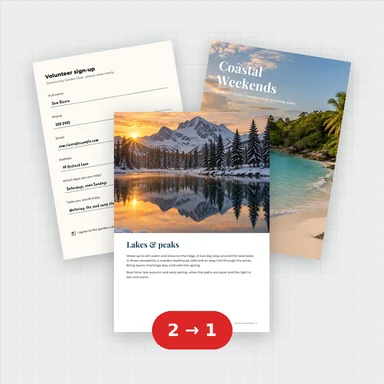
在一个或多个 PDF 的每一页上盖上像 ABC000001 这样的流水号,按照你设置的顺序。
每个文件都会按其范围命名,并附有整个集合的 CSV 索引。
贝茨编号用来排版或给页面加编号、裁切标记,排版完成后可直接打印。 免费向 PDF 添加贝茨编号:跨文件连续编号,前缀,后缀,零填充,六位数,按范围命名文件,CSV 索引。
选择或拖入要排版的 PDF 文件。
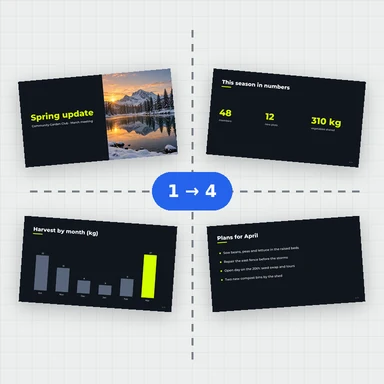
选择每张纸排列的页数、编号规则,或添加裁切标记与出血。
预览区会显示实际打印效果,重点检查页序与边距。
确认后下载排版好的 PDF,直接送印或打印。
Numbering continues from file to file in the order you set, starting from any number, so a production can pick up where the last one ended.
Prefix and suffix, zero-padding to any number of digits, standard fonts, size and colour, and one of six positions with your margins.
Add a second line like “Confidential” or the production date, with {date}, {file}, {page} and {pages} filled in for you.
A white box behind the stamp keeps it legible over text and pictures. Rotated and cropped pages are stamped the way they are displayed.
Files come back named by Bates range, in one ZIP with a CSV index listing each file’s first and last number and page count.
The numbers are read back from the first and last page of every new file, so you know they are really there as searchable text.
无需注册即可试用,游客每日 3 次免费。所有处理都在你的设备上完成,文件不会被上传。
所有工具每天都有免费额度。 游客每日 3 次免费,注册再送 20 积分。文件不上传,处理全在你的设备上完成。
是的。可以随意给文件和页面编号,无需账户且无水印。
不。PDF 文件在你的浏览器中编号,从不离开你的设备。
是的。将文件按顺序排列;每个文件的首页接续前一个文件的最后一页。将起始编号设置为延续之前的制作。
按它们的Bates范围,如 ABC000001-ABC000045.pdf(单页文件只获得其编号)。多个文件作为一个ZIP下载,并附有CSV索引:文件、输出名称、起始和结束编号、页数。
是的。在额外行中输入它。{date} 会被你选择的日期替换,{file} 会被文件名替换,{page} 和 {pages} 会被该文件的页码和总页数替换。
是的。这是真实的标准字体文本,因此您可以在任何 PDF 阅读器中搜索贝茨编号。
它不能打开受密码保护的 PDF(请先打开并保存未锁定的副本),并且标签使用标准字体,因此西欧字母以外的字母会被忽略。页面加盖印章后,数字签名会失效。
Free, private, and named by range.