Text
Type anywhere in sans, serif or monospace, bold or italic, any size and colour, with alignment, line spacing and a background. Latin, Greek and Cyrillic letters are written as real, searchable text.
添加文本、图片、形状和您的签名,修改现有文字,高亮显示,填写表格,遮盖必须保密的内容,并整理页面顺序。
所有操作都在您的设备上进行,您下载的是普通的 PDF。
拖入或点击选择;之后可在缩略图上排序、删页、旋转
或点击选择文件
打开一个,添加文本,突出显示,签名或重新排列页面,然后下载结果。
PDF 编辑器是一个在线编辑器:打开文件即可修改,改完直接导出。 在浏览器中免费编辑 PDF:添加和更改文本、图片、形状和签名,高亮、填写表单、编辑敏感信息、添加页码和重新排列页面。
选择或拖入要编辑的文件,等待本地解析完成。
在画布上添加文字、图形、签名或标注,拖动即可调整位置与大小。
设置颜色、字号、透明度等属性,预览区会实时更新。
确认后点击导出,把编辑好的文件下载到本地。
Type anywhere in sans, serif or monospace, bold or italic, any size and colour, with alignment, line spacing and a background. Latin, Greek and Cyrillic letters are written as real, searchable text.
Click a line of the PDF to retype it: the old words are covered with their own background colour and your text is placed at the same size and position.
Place PNG, JPG or WebP pictures, draw, type or upload a signature, add check marks, crosses and today's date. Move, resize and rotate anything.
Highlight, underline and strike through text, draw freehand, and add rectangles, ellipses, lines and arrows.
Fill in text fields, checkboxes, radio buttons and lists of fillable PDFs, then keep them fillable or flatten them into the page.
Black out names, numbers or pictures. Redacted pages are saved as images, so what was under the boxes is gone from the file, not just hidden.
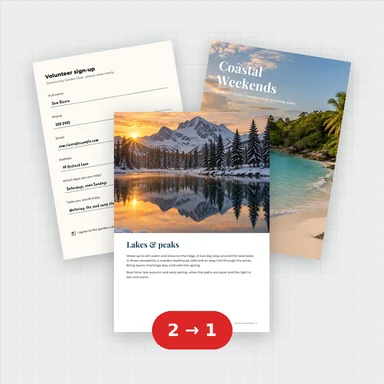
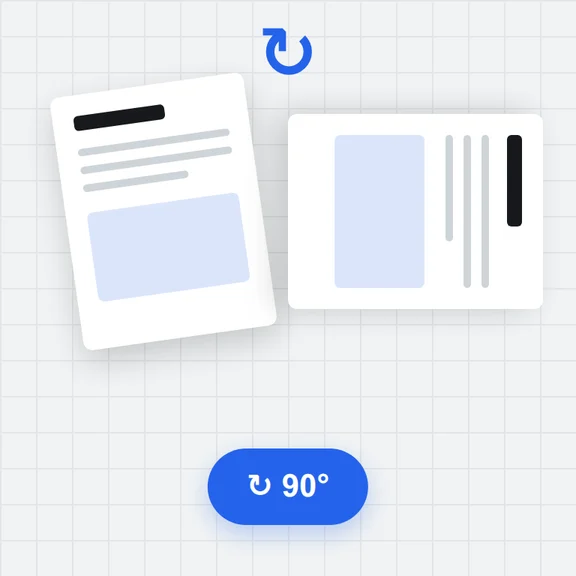
Reorder by dragging, rotate, duplicate, delete, insert blank pages or pages from another PDF, and save only the pages you select.
Add page numbers, headers, footers and a single or repeated watermark to all pages or the ones you choose.
The PDF is opened and saved in your browser and never uploaded. Password-protected files are unlocked on your device.
无需注册即可试用,游客每日 3 次免费。所有处理都在你的设备上完成,文件不会被上传。
所有工具每天都有免费额度。 游客每日 3 次免费,注册再送 20 积分。文件不上传,处理全在你的设备上完成。
是的。您可以编辑并下载任意数量的 PDF,无需账户,无每日限制,也无水印。
不。PDF 文件在您的浏览器中打开、编辑并保存。它从未离开您的设备。
是的,一行一行地进行。选择“编辑现有文本”,然后点击一行:旧的文字会被它们背景颜色的遮罩覆盖,并变成一个可以重新输入的文本框,大小和位置保持不变。段落的其余部分不会重新排版,字体是最接近的标准字体,所以这最适合做一些短的修改,比如姓名、日期和数字。
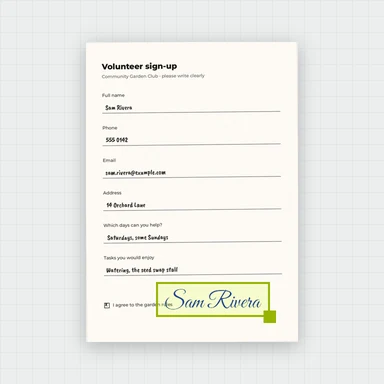
选择签名工具,然后绘制您的签名,输入手写风格的名字,或上传签名照片。将其放在页面上并调整大小。这是您的签名图片,而不是基于证书的数字签名。
是的。如果 PDF 有可填写的字段,点击它们并输入、勾选或选择。下载时,你可以保持字段可填写,或者将其扁平化,使答案成为页面的一部分。对于没有字段的扫描表格,可以在上面添加文本和勾选标记。
是的。带有涂抹框的页面会被保存为图片,框会被烘焙进去,因此其下的文字和图片会从文件中删除。那些页面之后无法搜索或选择;其他页面保持原样。涂改液仅覆盖内容,而不会删除它们。
是的,如果你知道它的密码。它会在你的设备上进行检查。仅限制编辑的 PDF 在没有密码的情况下可以打开。你下载的 PDF 没有密码。
任何使用拉丁字母、希腊字母或西里尔字母书写的语言都会保存为可以搜索和复制的真实文本。其他文字,如中文或阿拉伯文,则会保存为文字的图片。
Yes. Use the stamp button to add page numbers (for example “Page 3 of 10”), a header, a footer or a watermark, on every page or on the pages you choose.
Use the page list on the left: drag pages into order, or select some and rotate, duplicate or delete them. You can also insert blank pages or pages from another PDF.
Select the pages in the page list (Ctrl- or Shift-click), then choose Download and Selected pages.
No. Pages keep their original text, fonts and pictures, and your additions are written into the PDF as text and vector graphics. Only pages with redactions become pictures, and only if you choose compression are pictures made smaller.
Free, private and without watermarks.