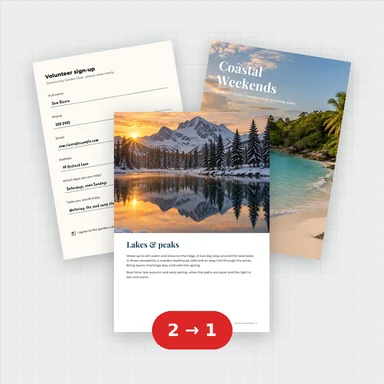
Formatting kept
Fonts, bold and italic, colours, fills, borders, merged cells, wrapped text and number formats such as currency, dates and percentages.
将工作簿转换为看起来与打印时相同的 PDF:字体、颜色、边框、合并单元格、数字格式和图片都会随之保留。
选择工作表,将所有列调整到一页,并在每一页上重复标题行。
也可直接在下方粘贴表格数据
或点击选择文件
这是一个把 EXCEL 转成 PDF 的在线工具:文件不会离开你的设备,转换直接在浏览器里完成。 将 Excel 电子表格 (.xlsx, .xls, .ods, .csv) 免费转换为 PDF。
点击虚线区域选择文件,或直接把 EXCEL 拖进页面。支持一次拖入多个文件,逐个排队处理。
在下方的格式选项中确认目标格式为 PDF,并按需要调整画质、尺寸、码率或帧率等参数。
点击转换按钮后,进度条会实时显示处理进度。文件较大时请保持页面打开,不要切换标签页。
转换完成后先预览效果,满意再点击下载把 PDF 保存到本地;不满意可以改参数重转。
Fonts, bold and italic, colours, fills, borders, merged cells, wrapped text and number formats such as currency, dates and percentages.
The file’s print area, paper size, orientation, margins, scaling, page breaks, header rows and header and footer are used unless you change them.
Fit all columns on one page width, fit the whole sheet on one page, or set your own percentage.
The workbook is read and converted in your browser. Nothing is uploaded.
Choose “Fit all columns on one page”, or switch to landscape.
Use “Repeat rows at top” to print the first rows of the sheet on every page, as Excel’s Print Titles do.
Choose Range and type the cells, such as A1:F40. Separate several ranges with commas.
The number is wider than its column, as in the spreadsheet itself. Widen the column in your spreadsheet app, or print at a larger scale.
无需注册即可试用,游客每日 3 次免费。所有处理都在你的设备上完成,文件不会被上传。
所有工具每天都有免费额度。 游客每日 3 次免费,注册再送 20 积分。文件不上传,处理全在你的设备上完成。
是的。无需账户、每日限制和水印,您可以转换任意数量的电子表格。
不。工作簿在你的浏览器中读取并转换。唯一下载的只是转换器所需的字体文件。
在缩放下,选择“将所有列调整到一页宽度”以保持每一列在页面宽度内,或选择“将工作表调整到一页”以将整个工作表缩小到一页上。
是的。勾选你想要的工作表。所有选中的工作表将按工作簿顺序合并为一个 PDF。隐藏的工作表会被排除,除非你勾选它们。
是的。文件中保存的打印区域、打印标题、纸张大小、方向、页边距、缩放、分页符、网格线以及页眉和页脚都会被使用。在下载之前,每一项都可以更改。
Excel 工作簿(.xlsx、.xlsm、.xls)、OpenDocument 电子表格(.ods)和 CSV 文件。格式大部分来自 .xlsx 文件。
图片是。图表尚未绘制;它们用一个框标记,转换器会在工作表有图表时告诉你。
是的。单元格文本以嵌入字体的真实文本形式书写,而不是作为图片。
免费额度、隐私优先,处理全在你的设备上完成。